Factory IT & Infrastructure Walk-Around Assessment Checklist
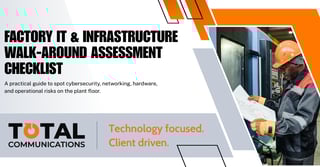
Factory IT & Infrastructure Walk-Around Assessment Checklist: A practical guide to spot cybersecurity, networking, hardware, and operational risks on the plant floor.
This practical, on-the-floor assessment guide is designed to help plant managers, operations leaders, and IT teams quickly identify gaps in cybersecurity, networking, hardware health, and system reliability, often in less than an hour. By asking the right questions and observing the small things others miss, you can uncover issues early and strengthen the digital backbone of your entire operation.
1. Cybersecurity & Physical IT Hygiene
Q1. Do you see any plugged-in but unused USB drives, memory sticks, or external storage devices?
-
Good Answer: “No — I didn’t see any unused or unauthorized USB devices.”
-
Problem Answer: “Yes — a few workstations had memory sticks or cables connected that no one could explain.”
▶︎ Risk: Malware delivery, data exfiltration, policy violation.
Q2. Are operator PCs or HMI stations left unlocked when unattended?
-
Good Answer: “All unattended stations were locked or required badge/PIN re-entry.”
-
Problem Answer: “Several screens were open with production software running.”
▶︎ Risk: Unauthorized changes, safety incidents, tampering.
Q3. Do you see passwords written on sticky notes, labels, or whiteboards?
-
Good Answer: “No visible passwords anywhere.”
-
Problem Answer: “Some stations had passwords taped under keyboards or monitors.”
▶︎ Risk: Credential theft, unauthorized system access.
Q4. Is there obvious shadow IT — personal Wi-Fi hotspots, consumer routers, or unknown network devices?
-
Good Answer: “Everything appears to be company-issued.”
-
Problem Answer: “Found a personal hotspot or consumer-grade router.”
▶︎ Risk: Hidden attack surfaces, uncontrolled entry points.
2. Network & Connectivity Health
Q5. Are any network switches or control cabinets open, exposed, or unlabelled?
-
Good: “All cabinets are closed, locked, and labeled.”
-
Problem: “Some panels were open or full of unlabeled cables.”
▶︎ Risk: Tampering, accidental unplugging, troubleshooting delays.
Q6. Are network cables damaged, frayed, or loosely hanging?
-
Good: “Cables are bundled, intact, and professionally installed.”
-
Problem: “Loose wires across the floor; broken clips; industrial tape fixes.”
▶︎ Risk: Downtime from intermittent connectivity.
Q7. Is Wi-Fi coverage reliable in all production areas?
-
Good: “Operators reported no dead zones.”
-
Problem: “Certain lines can’t stay connected or handheld devices drop.”
▶︎ Risk: Slow processes, failed scans, delays in data capture.
3. Hardware & Workstation Condition
Q8. Are operator PCs, HMIs, and terminals outdated or slow?
-
Good: “Everything boots quickly and runs current software.”
-
Problem: “Machines freeze, lag, or require workarounds.”
▶︎ Risk: Production pauses, operator errors.
Q9. Do you see machines running unsupported operating systems (Windows 7/XP/etc.)?
-
Good: “All systems are on supported OS versions.”
-
Problem: “Legacy HMIs still run XP or 7 because the vendor hasn’t updated.”
▶︎ Risk: High vulnerability to exploits.
4. Backup & Recovery Readiness
Q10. Are there printed or digital backup procedures accessible near critical machines?
-
Good: “Clear documentation exists, accessible, and up to date.”
-
Problem: “Operators say they ‘think it’s stored somewhere back in the office.’”
▶︎ Risk: Lengthy downtime during failures.
Q11. Do operators know how often key PLCs/servers/workstations are backed up?
-
Good: “Daily or weekly backups are confirmed and automated.”
-
Problem: “No one knows; backups are manual or inconsistent.”
▶︎ Risk: Lost configurations, long recovery times.
5. Software & Production Systems
Q12. Are there multiple versions of the same software running on different machines?
-
Good: “Software stack is standardized across the floor.”
-
Problem: “Operators point out mismatched versions.”
▶︎ Risk: Inconsistency, compatibility issues, training problems.
Q13. Do operators rely on spreadsheets or personal notes to track production or maintenance?
-
Good: “Factory uses consistent digital systems (MES/ERP/CMMS).”
-
Problem: “Manual logs and sticky notes are everywhere.”
▶︎ Risk: Data loss, errors, untracked downtime.
6. Operational Technology (OT) Safety & Resilience
Q14. Are emergency and safety systems integrated and monitored digitally?
-
Good: “Sensors tie into a central dashboard or PLC layer.”
-
Problem: “Paper-only logs or reliance on manual checks.”
▶︎ Risk: Untracked faults, unsafe operating conditions.
Q15. Do critical machines have redundant network paths or power backups (UPS)?
-
Good: “Redundancy exists for essential systems.”
-
Problem: “Single points of failure everywhere.”
▶︎ Risk: Outages halt entire lines.
A simple walk-around assessment can reveal more about the health of your factory’s IT and OT systems than most teams expect, and it’s one of the fastest ways to reduce downtime, tighten cybersecurity, and boost overall productivity. If you’re ready to turn these insights into a concrete improvement plan, we can help.
Whether you need a deeper infrastructure audit, modernization roadmap, or hands-on support implementing best practices, our team specializes in helping manufacturers build secure, reliable, future-ready operations. Reach out today to schedule a complimentary consultation and take the first step toward a stronger, safer factory floor.